Master your gamepad on Linux – effortlessly.
DSTX turns your PlayStation DualShock 4, DualSense, or Nintendo Switch Pro controller into an Xbox 360 gamepad that works with any game. Tweak LED colors, rumble strength, deadzones, remap buttons, and more.
What is DSTX?
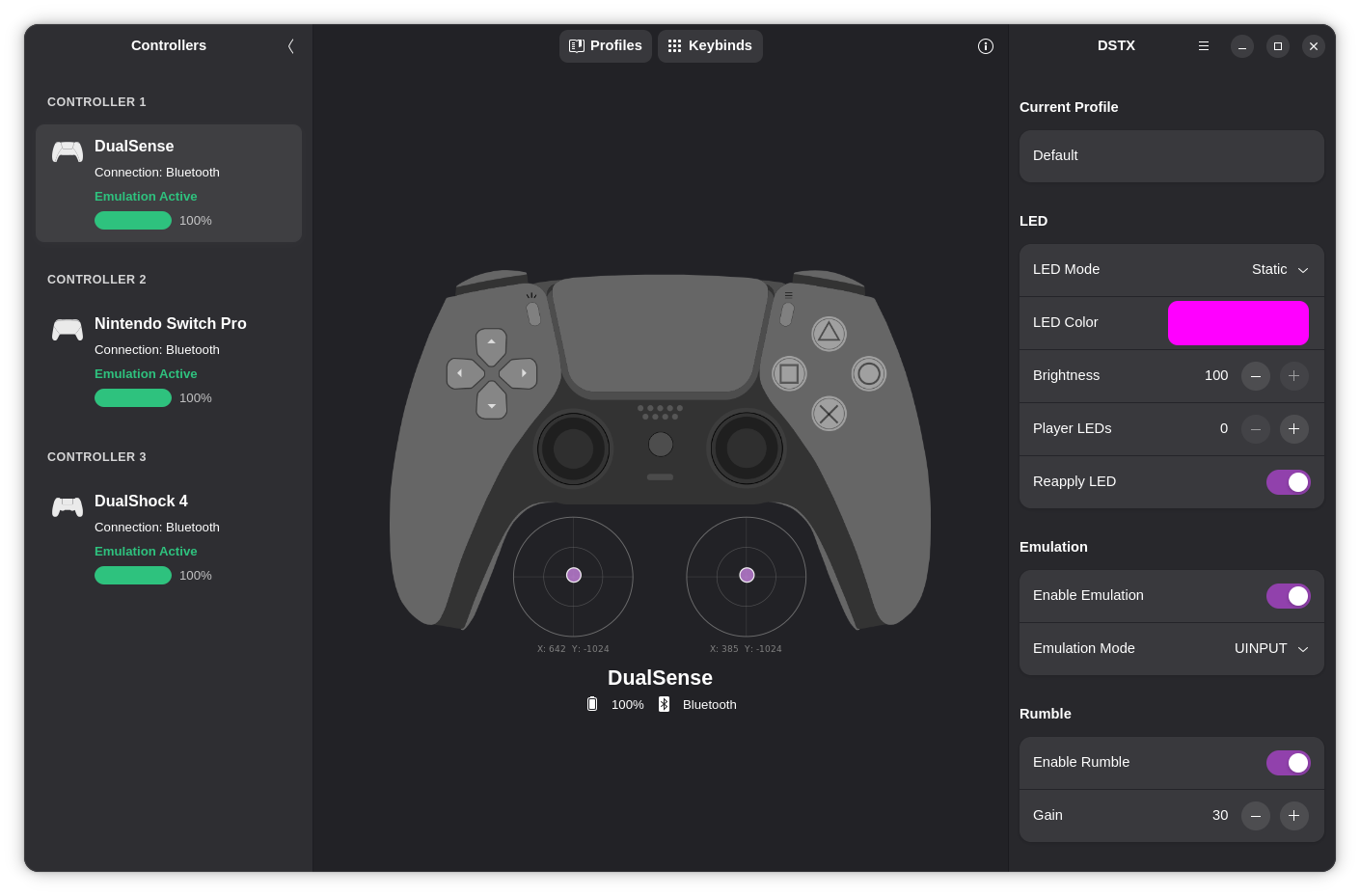
DSTX is a system‑level daemon and a modern GTK4 graphical interface that brings full control over PlayStation DualShock 4, DualSense and Nintendo Switch Pro controllers on Linux.
DSTX creates a virtual Xbox 360 controller that is recognized by almost every game, solving compatibility issues for titles that only support Xbox controllers.
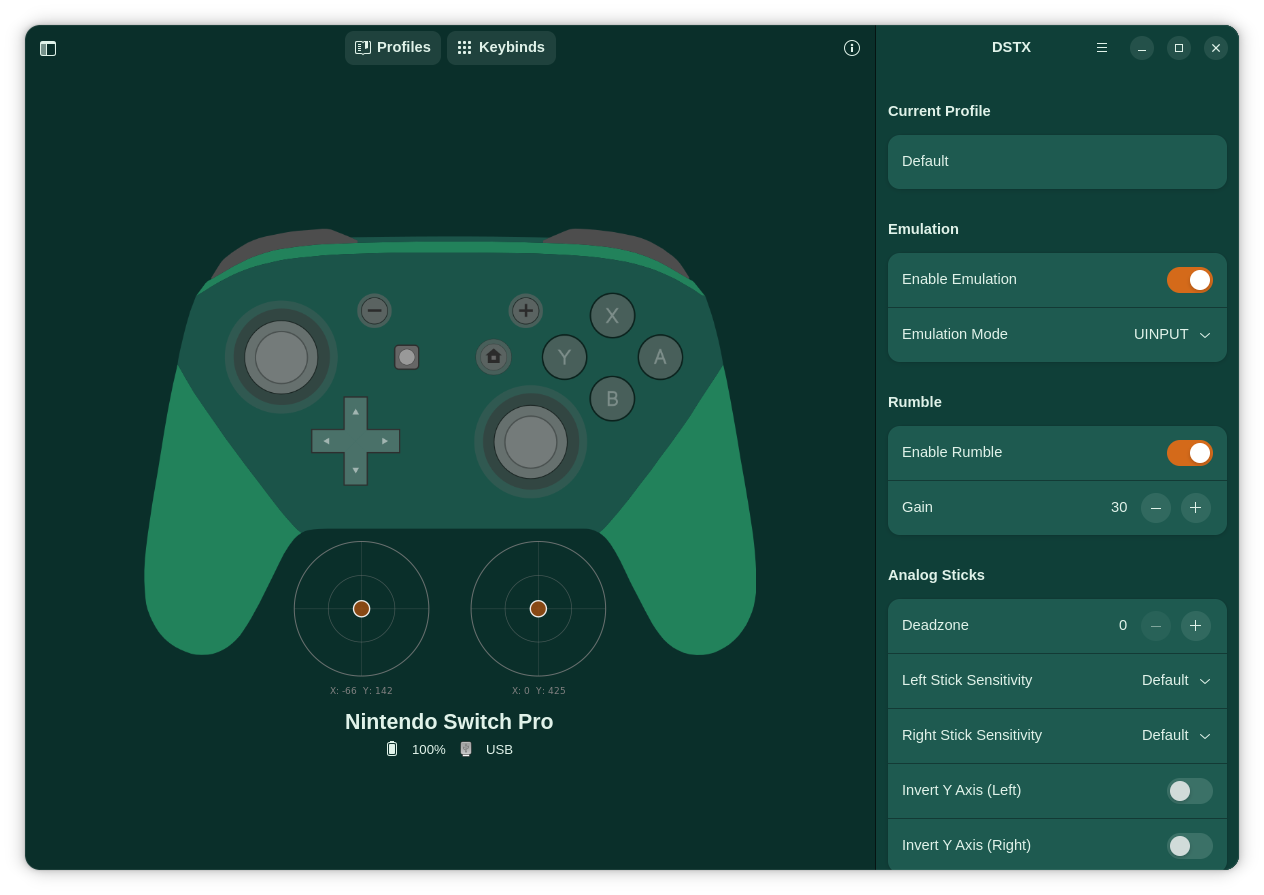
But DSTX goes far beyond simple emulation: it gives you granular control over LED lighting, rumble intensity, deadzone calibration, stick sensitivity, Y‑axis inversion, button remapping, and full profile management.
The app runs as a persistent background service – your settings stay active even after you close the window. Connect up to 4 controllers at once via USB or Bluetooth.
DSTX is 100% free, open source (GPLv3), and privacy-first: no telemetry, no tracking.
⚡ Engineered for performance
What you can do with DSTX
Native gamepad support
Works with DS4, DualSense, Nintendo Switch Pro — USB or Bluetooth. Creates a virtual Xbox 360 controller recognized by any modern game.
Full LED control
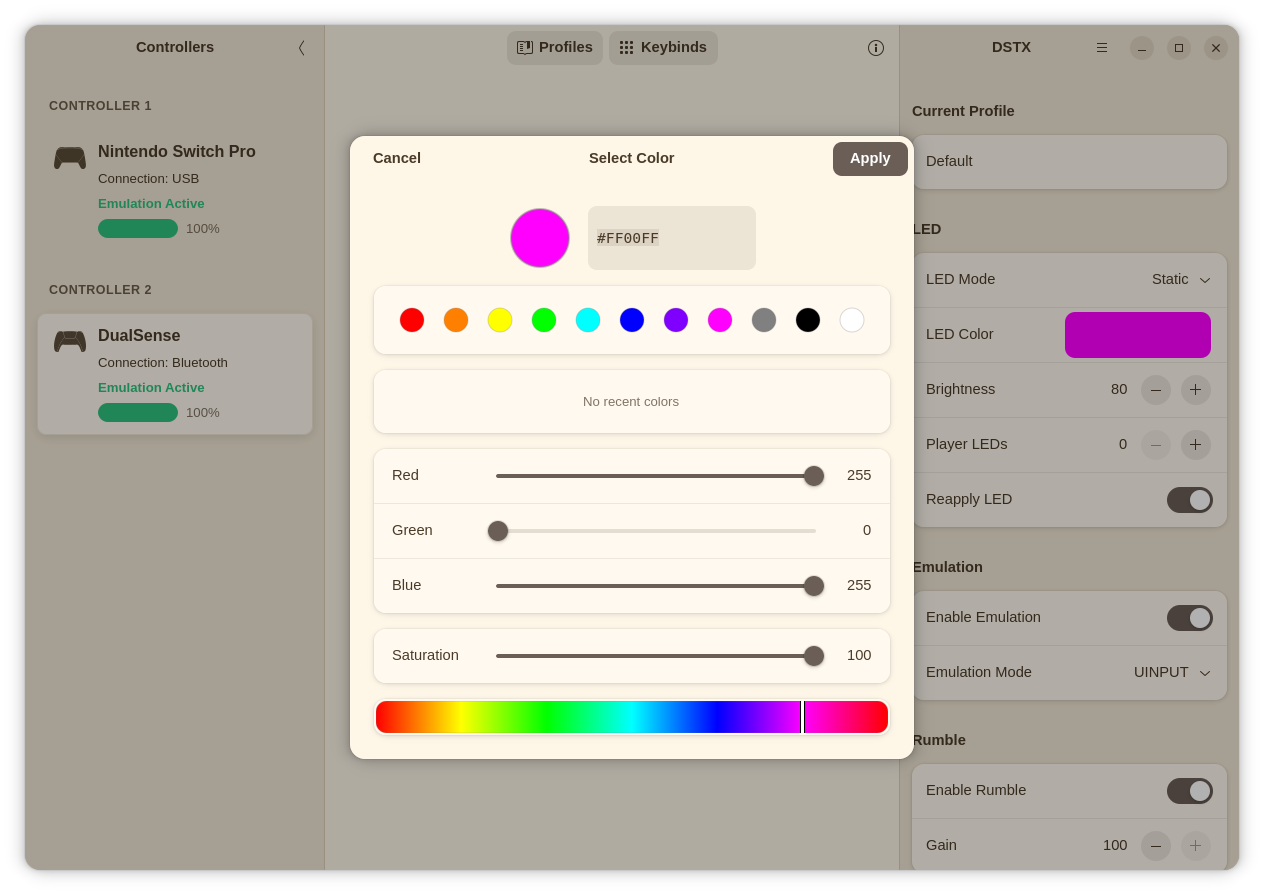
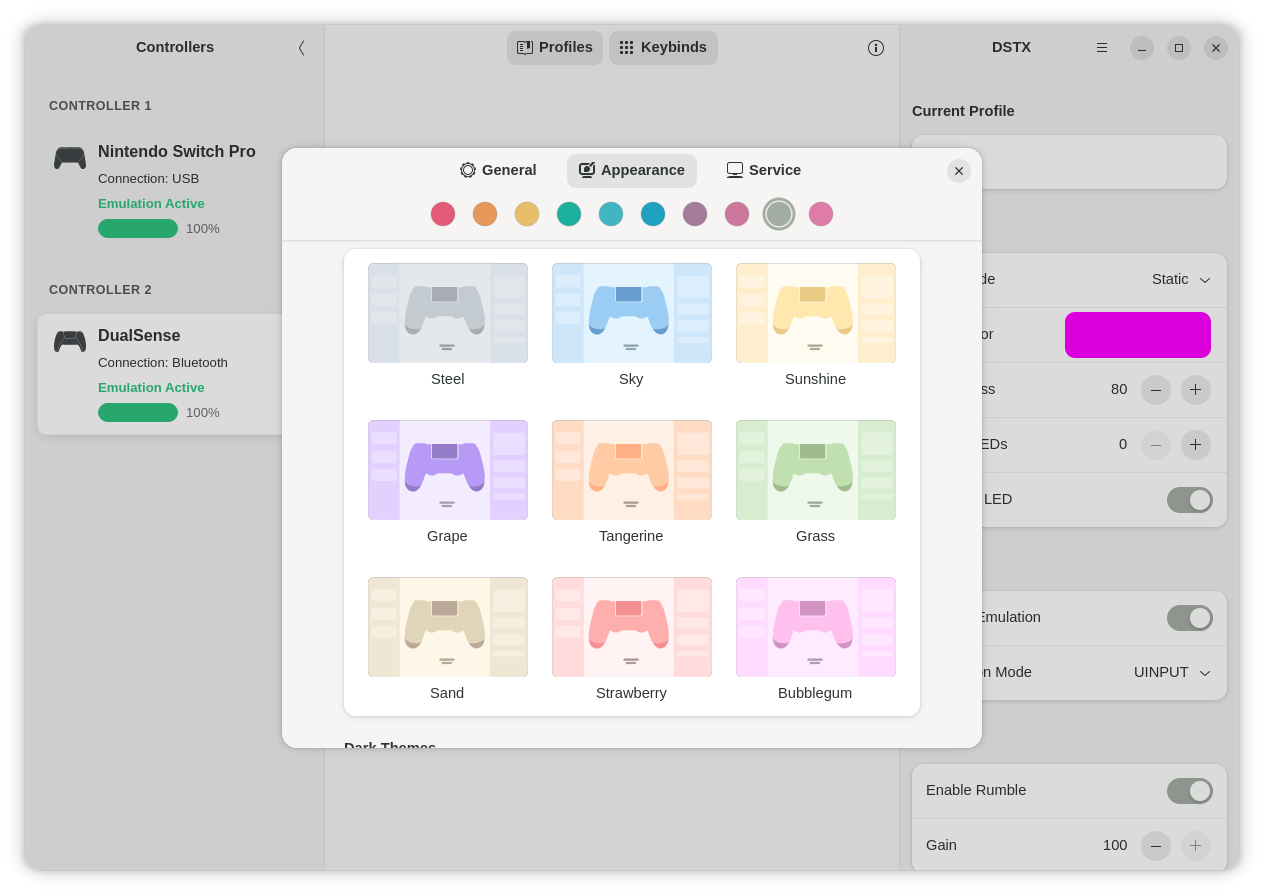
Static color, dynamic effects (breathing, rainbow, wave, battery status). Adjust brightness and speed on the fly.
Rumble adjustment
Turn rumble on/off whenever you want and dial in the perfect intensity.
Button remapping
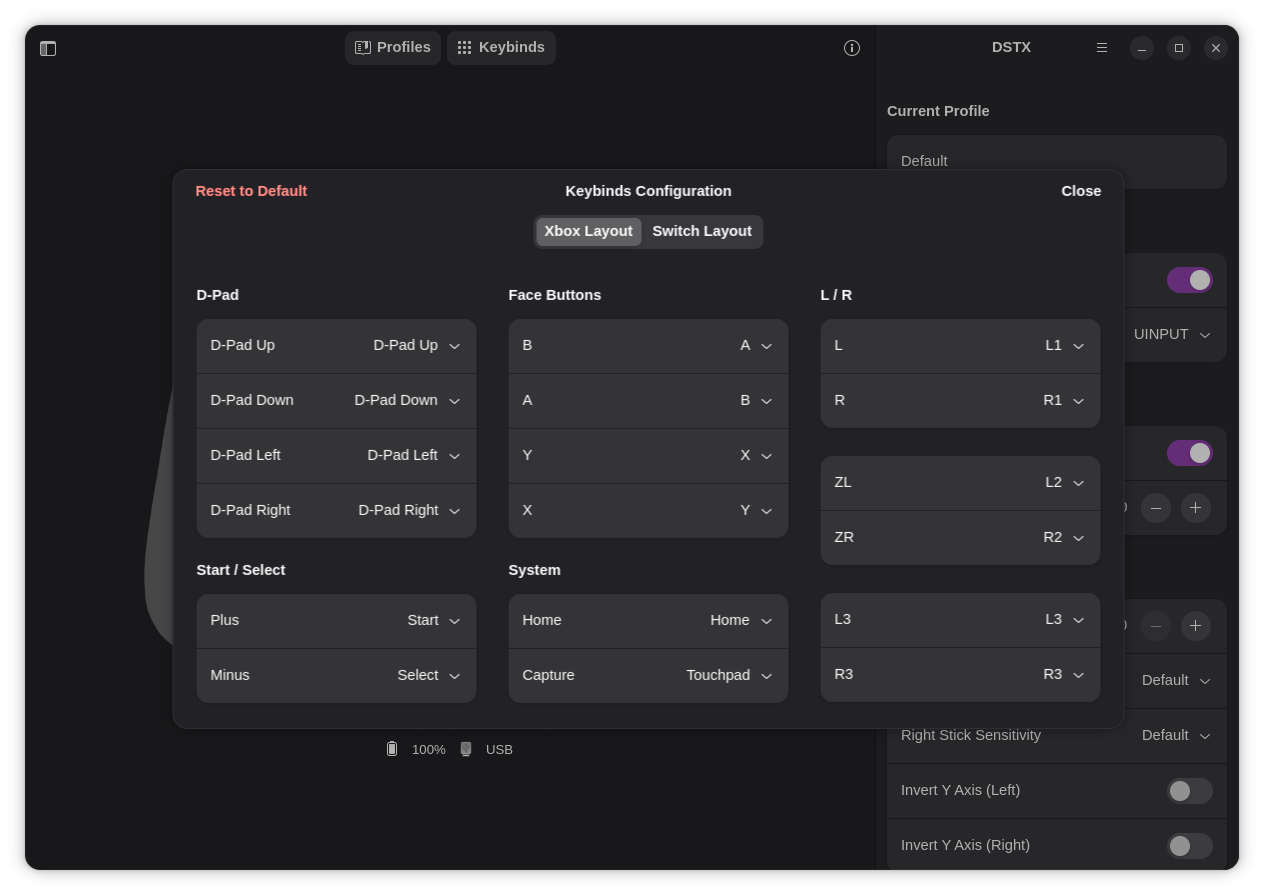
Remap any button, swap AB/XY for Nintendo Switch layout, or restore Xbox layout. Create and save custom profiles.
Stick sensitivity
Choose from 8 stick sensitivity presets – from precision aiming to fast FPS movements.
Profile management
Save your custom settings and load anytime, creating as many custom profiles as you wish.
Themes & accent colors
Light, dark, and exclusive custom themes with accent palette. Choose the look you love.
Run in the background
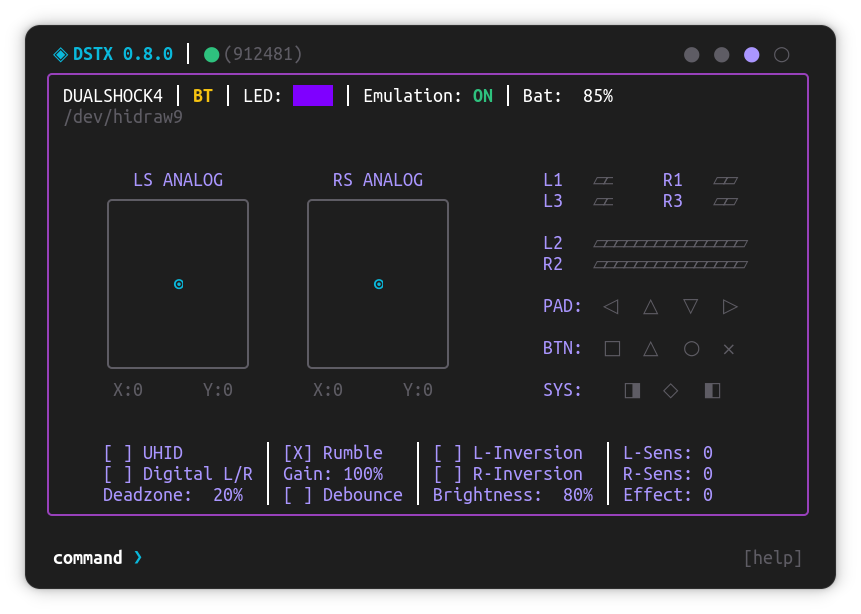
Runs as a background daemon. Use the modern GTK4/libadwaita interface or the terminal TUI. Your settings persist after closing the window.
Free as in Freedom — 100% Open Source
DSTX is built on the principles of free software and open collaboration. Released under the GNU General Public License v3.0, the complete source code is publicly available on GitHub — fully transparent, auditable, and free from proprietary traps. No telemetry, no ads, no paywalls. This project thrives thanks to a passionate community of gamers and developers. You are invited to inspect, modify, share, and contribute. Free software, forever.
View it in Action
Get DSTX

AppImage
Run anywhere, no install
GUI-only, core package must be installed separately
Download AppImage
⚠️ After installing, please log out and back in – this applies the necessary group permissions for your controller to work.
All binary packages are fetched from the official DSTX GitHub releases.
📦 Installation Instructions
Choose your preferred format below and follow the detailed steps.
 Flatpak (recommended for most users)
Flatpak provides sandboxed, up-to-date packages that work on any distribution.
Add DSTX flatpak remote:
flatpak remote-add --if-not-exists --gpg-import=https://flatpak.dstxapp.org/flatpak/dstx-flatpak-repo.asc dstx-remote https://flatpak.dstxapp.org/flatpakInstall DSTX:
flatpak install dstx-remote org.dstx.guiCreate the "dstx" system group:
sudo groupadd -r dstxAdd your user to the "dstx" system group:
sudo usermod -aG dstx $USERAfter installation, launch DSTX from your applications menu or run:
flatpak run org.dstx.gui Debian / Ubuntu (.deb)
Install the native .deb package for a system integration experience.
Download the .deb package:
wget https://github.com/a-lameira/DSTX/releases/download/v0.7.0-beta/dstx-0.7.0_amd64.debInstall the package:
sudo dpkg -i dstx-0.7.0_amd64.debAdd your user to the "dstx" system group:
sudo usermod -aG dstx $USER Fedora / RHEL (.rpm)
Native RPM package for Fedora, RHEL and derivatives.
Download .rpm package:
wget https://github.com/a-lameira/DSTX/releases/download/v0.7.0-beta/dstx-0.7.0_x86_64.rpmInstall using dnf:
sudo dnf install ./dstx-0.7.0_x86_64.rpmAdd your user to the "dstx" system group:
sudo usermod -aG dstx $USER Portable tar.gz (binary archive)
The package contains the binaries and an installation script.
Download the package:
wget https://github.com/a-lameira/DSTX/releases/download/v0.7.0-beta/dstx-0.7.0_x86_64.tar.gzExtract the tarball:
tar -xzf dstx-0.7.0_x86_64.tar.gzEnter the directory:
cd dstx-0.7.0_x86_64Run the installation script:
sudo ./setup-dstx.sh AppImage
No installation needed, just download and run on any Linux distribution.
Download AppImage:
wget https://github.com/a-lameira/DSTX/releases/download/v0.7.0-beta/dstx-gui-0.7.0.AppImageMake the AppImage executable:
chmod +x dstx-gui-0.7.0.AppImageRun it:
./dstx-gui-0.7.0.AppImageFor system integration, you may need FUSE support:
# On Debian/Ubuntu:
sudo apt install libfuse2

# On Fedora:
sudo dnf install fuseBuild from source
Compile DSTX yourself — recommended for developers and advanced users.
Detailed instructions in the repository.
Support the Project
DSTX is and will always be free and open source. If you appreciate the work and want to help keep development active, cover server costs, and bring new features, consider donating. Every contribution — small or large — makes a difference.


PIX (Brazil)
Key: dstx@dstxapp.org